> For the complete documentation index, see [llms.txt](https://documentation.swing2app.co.kr/llms.txt). Markdown versions of documentation pages are available by appending `.md` to page URLs; this page is available as [Markdown](https://documentation.swing2app.co.kr/knowledgebase/playstore/manage/googleplay-support.md).
# Google Play Console 지원팀 문의하기
**Google Play 콘솔 지원팀 이용방법**
\*스윙투앱은 구글 고객센터가 아니며, 구글 관련 상담을 해드리지 않아요.
아래 구글 고객센터 이용방법을 확인하셔서 상담 및 도움을 받으시기를 바랍니다.
***
### Google Play Console 지원팀에 문의하기
\*구글 플레이 콘솔 지원팀은 구글 플레이 개발자 분들이 이용할 수 있는 고객센터에요.
즉, 구글 개발자 계정이 있고 플레이스토어에 앱을 출시하여 운영하는 분들이 이용할 수 있습니다.
일반 구글 이용고객들은 지원대상이 아닙니다.
\
**☞** [**구글 플레이 콘솔 지원팀 바로가기**](https://support.google.com/googleplay/android-developer/answer/7218994?hl=ko)
구글플레이콘솔 지원팀은 전화(유선 상담)상담을 하지 않기 때문에 위의 사이트로 이동하셔서 문의주셔야 합니다.
**★구글 개발자계정으로 로그인을 해주셔야 이용 가능합니다.**
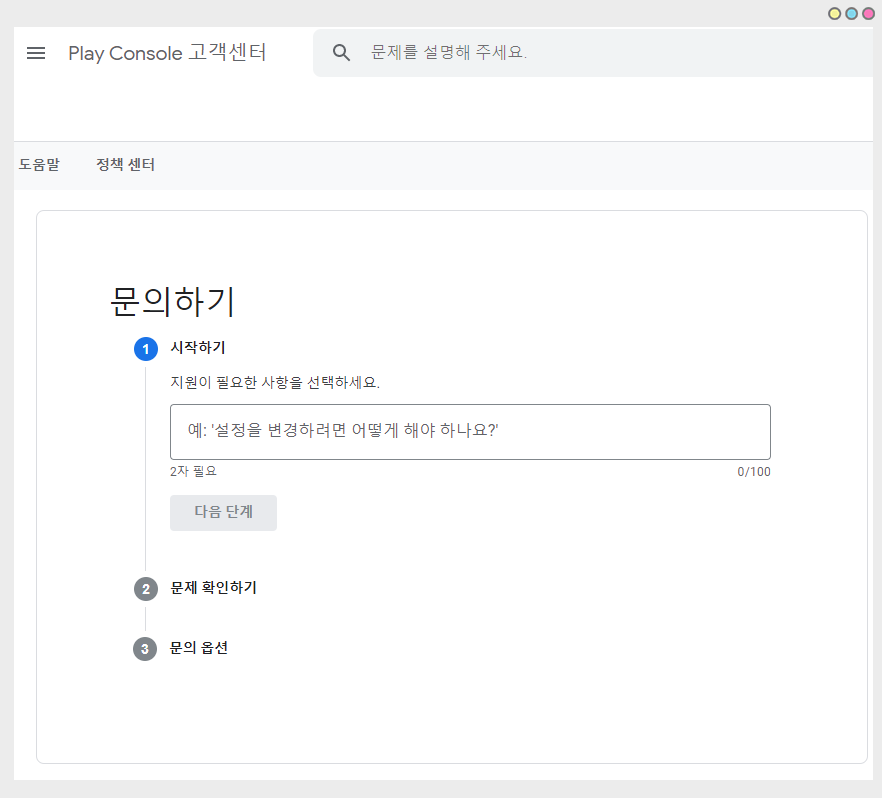
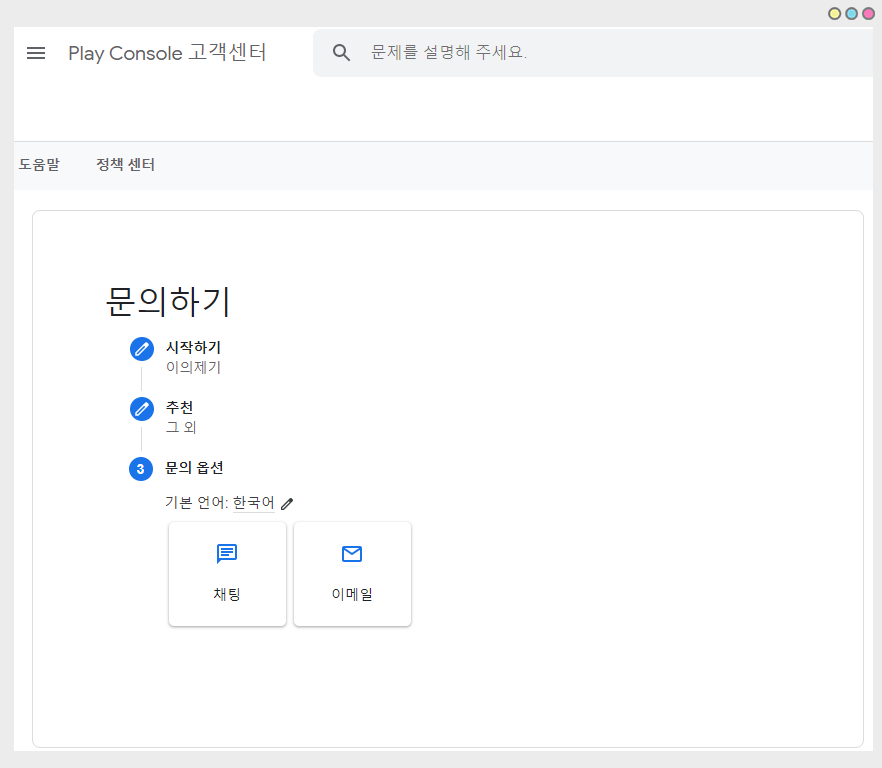
문의 내용을 선택 한뒤, 03 문의 옵션에서 채팅 or 이메일 지원을 선택할 수 있습니다.
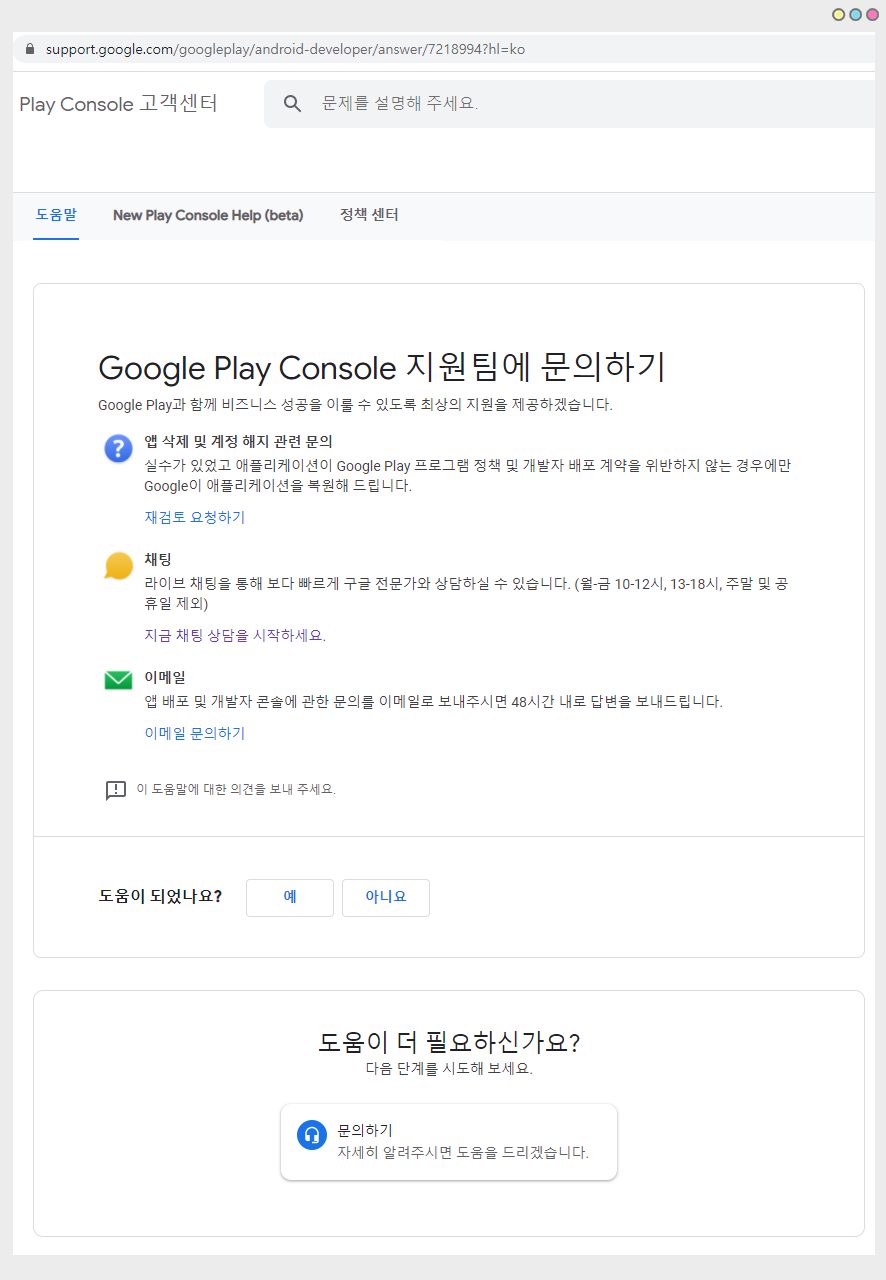
문의하기의 방법은 **채팅요청 or 이메일 지원** 두가지 방법이 있구요.
채팅 요청을 하여 전문가와 채팅 상담을 하거나, 메일을 보내 답장을 요청할 수 있습니다.
\*앱 삭제 및 계정 해지 문의는 해당 링크에서 하는 것보다, Google에서 받은 시정 조치 이메일에 포함된 링크를 통해 연락하시는 것이 가장 좋습니다.
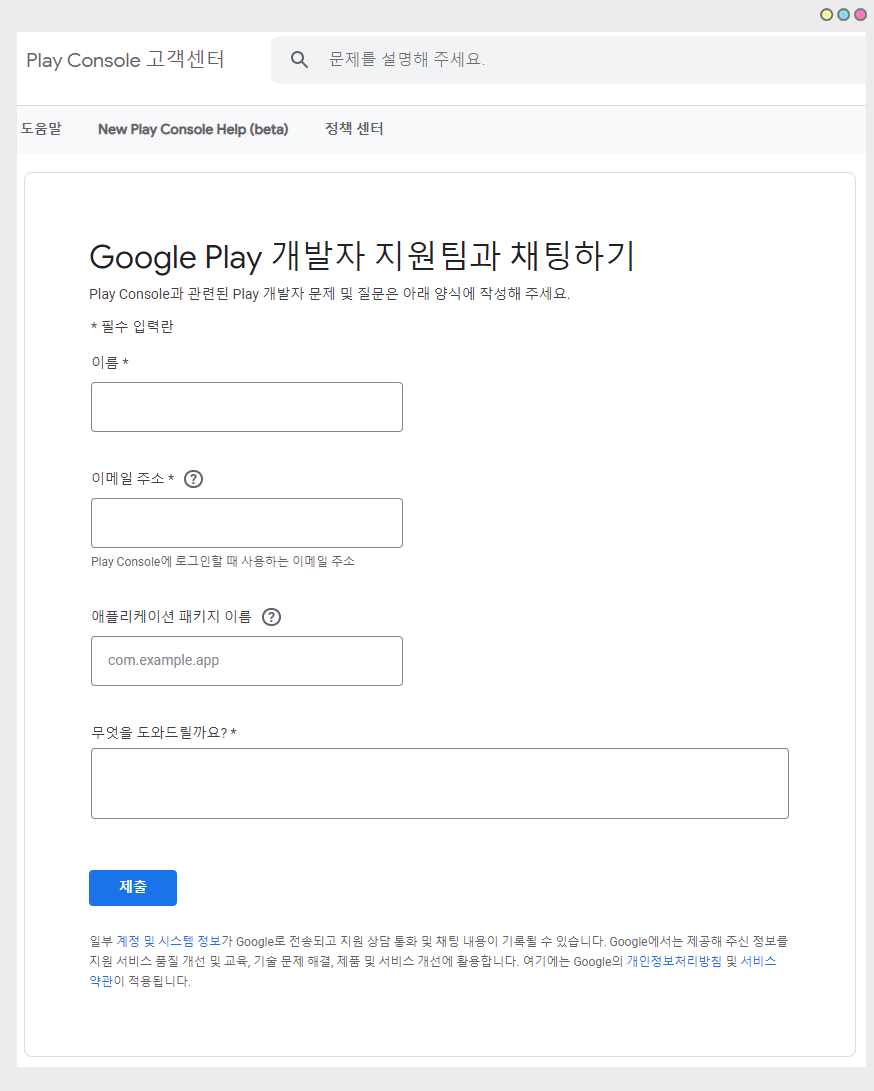
채팅 요청을 누르면 – 간단한 채팅 신청서 입력 페이지로 이동하구요.
이름, 이메일주소, 앱 패키지 이름 입력 후, 어떤 문제인지 간단히 기재 후 \[제출] 버튼을 누르면 전문가 채팅창이 열립니다.
채팅은 오전 10시\~ 오후6시 업무 중에 상담이 가능하구요. (점심시간 12시\~1시 제외)
채팅이 밀려있지 않으면 바로 연결이 되었구요. 밀려있는 경우 채팅 연결까지 시간이 좀 소요될 수 있습니다.
**\*안내사항**
1\) 구글의 기술적인 내용, 개발 관련된 문의는 전화나 채팅 상담이 어렵구요.
2\)메일요청은 메일을 보내면 답변 회신이 올 때까지 2일 이상이 걸리는 경우가 많아요.
따라서 채팅으로 문의하는 것을 추천드려요.
3\)구글 플레이 콘솔 (앱출시하여 이용중인 사용자) 관련문의는 아래 링크로 이동하셔서 이용해주시기 바랍니다.
☞[ ](https://support.google.com/googleplay/android-developer/answer/7218994?hl=ko)